> ## Documentation Index
> Fetch the complete documentation index at: https://docs.untrace.dev/llms.txt
> Use this file to discover all available pages before exploring further.
# SDK Reference
> Multi-language SDKs for LLM observability - instrument once, observe everywhere
 ## Overview
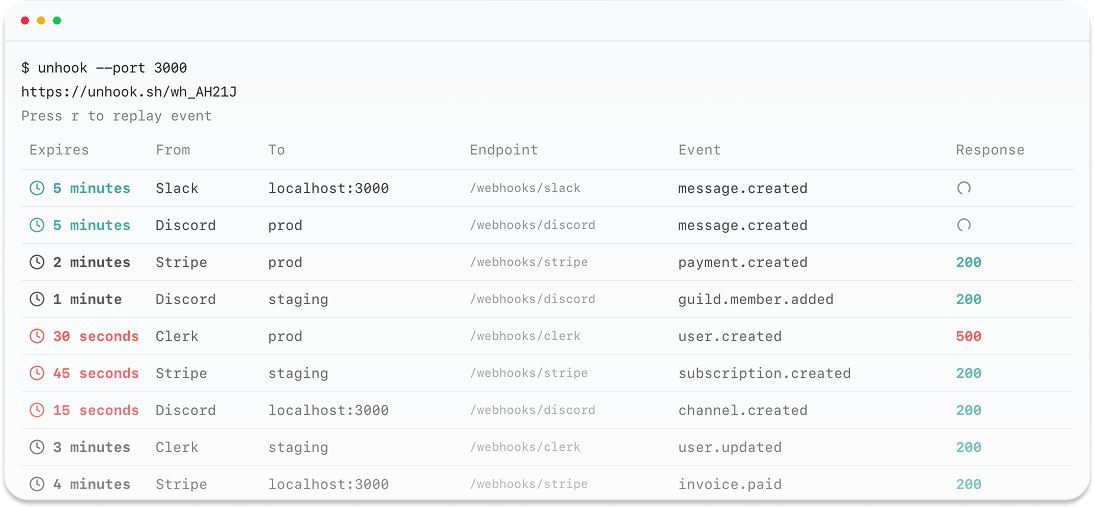
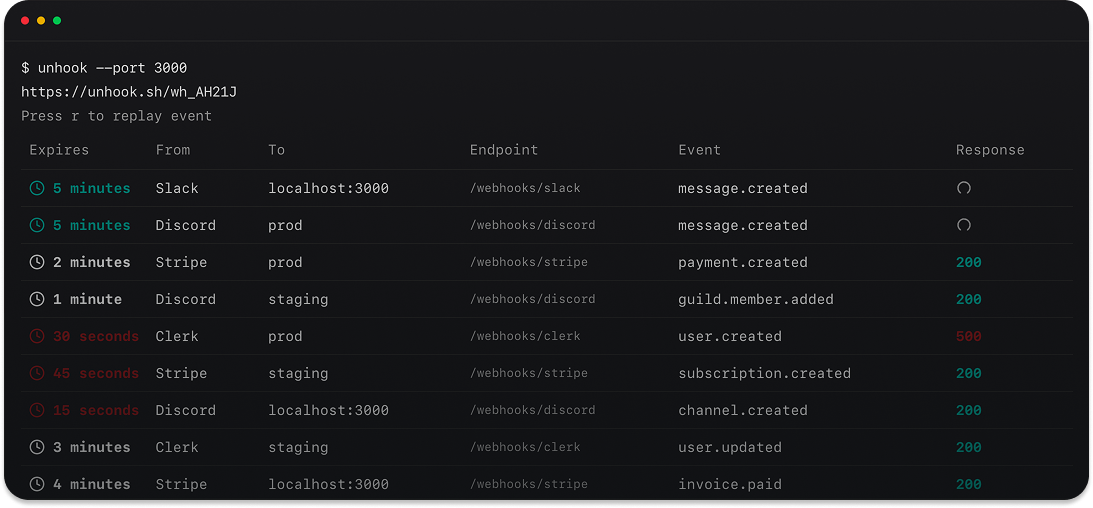
The Untrace SDK provides zero-latency LLM observability with automatic instrumentation for all major LLM providers. Built on OpenTelemetry standards, it captures comprehensive trace data and routes it to your chosen observability platforms.
## Supported Languages
Untrace provides native SDKs for all major programming languages:
Node.js, React, Next.js, Express, and more
FastAPI, Django, Flask, and async frameworks
Gin, Echo, Fiber, and microservices
Axum, Actix, Tokio, and high-performance apps
ASP.NET Core, Console apps, and services
Phoenix, LiveView, and OTP applications
**New to Untrace?** Check out our [SDK Overview](/sdk-overview) to compare all available languages and choose the best fit for your project.
Start tracing LLM calls in minutes
Automatic tracing for popular LLM libraries
Full TypeScript support with type definitions
Real-world examples and best practices
## JavaScript/TypeScript
### Installation
Install the Untrace SDK using your preferred package manager:
```bash npm theme={null}
npm install @untrace/sdk
```
```bash yarn theme={null}
yarn add @untrace/sdk
```
```bash pnpm theme={null}
pnpm add @untrace/sdk
```
```bash bun theme={null}
bun add @untrace/sdk
```
## Quick Start
### Basic Setup
```typescript theme={null}
import { init } from '@untrace/sdk';
// Initialize the SDK
const untrace = init({
apiKey: 'your-untrace-api-key',
serviceName: 'my-llm-app',
environment: 'production',
});
// Your LLM code is automatically instrumented!
import OpenAI from 'openai';
const openai = new OpenAI();
const response = await openai.chat.completions.create({
model: 'gpt-3.5-turbo',
messages: [{ role: 'user', content: 'Hello!' }],
});
```
### Manual Instrumentation
```typescript theme={null}
// For providers loaded before SDK initialization
import OpenAI from 'openai';
import { init } from '@untrace/sdk';
const openai = new OpenAI();
const untrace = init({ apiKey: 'your-api-key' });
// Manually instrument the client
const instrumentedOpenAI = untrace.instrument('openai', openai);
```
## Configuration
### SDK Options
```typescript theme={null}
interface UntraceConfig {
// Required
apiKey: string; // Your Untrace API key
// Optional
serviceName?: string; // Default: 'untrace-app'
environment?: string; // Default: 'production'
version?: string; // Your app version
baseUrl?: string; // Custom ingestion endpoint
// Behavior
debug?: boolean; // Enable debug logging
disableAutoInstrumentation?: boolean; // Disable auto-instrumentation
captureBody?: boolean; // Capture request/response bodies
captureErrors?: boolean; // Capture and report errors
// Performance
samplingRate?: number; // 0.0 to 1.0 (default: 1.0)
maxBatchSize?: number; // Max spans per batch (default: 512)
exportIntervalMs?: number; // Export interval (default: 5000ms)
// Providers
providers?: string[]; // Specific providers to instrument
// Use ['all'] to instrument everything
// Advanced
headers?: Record; // Custom headers for requests
resourceAttributes?: Attributes; // Additional resource attributes
spanProcessors?: SpanProcessor[]; // Custom span processors
}
```
### Environment Variables
The SDK supports configuration via environment variables:
```bash theme={null}
# Core settings
UNTRACE_API_KEY=your-api-key
UNTRACE_BASE_URL=https://untrace.dev/api
UNTRACE_DEBUG=true
# OpenTelemetry settings
OTEL_SERVICE_NAME=my-service
OTEL_RESOURCE_ATTRIBUTES=environment=production,version=1.0.0
```
## Auto-instrumentation
### Supported Providers
The SDK automatically instruments these LLM providers:
#### AI/LLM Providers
* ✅ **OpenAI** - GPT-4, GPT-3.5, Embeddings, DALL-E
* ✅ **Anthropic** - Claude 3, Claude 2
* ✅ **Google AI** - Gemini Pro, PaLM
* ✅ **Mistral** - Large, Medium, Small models
* ✅ **Cohere** - Command, Embed, Rerank
* ✅ **AWS Bedrock** - All supported models
* ✅ **Azure OpenAI** - Enterprise deployments
* ✅ **Together.ai** - Open source models
* ✅ **Replicate** - Model marketplace
* ✅ **Hugging Face** - Inference API
#### Framework Support
* ✅ **LangChain** - Chains, agents, tools
* ✅ **LlamaIndex** - Data frameworks
* ✅ **Vercel AI SDK** - Edge-ready AI
### How It Works
```typescript theme={null}
// Before SDK initialization
import OpenAI from 'openai';
import Anthropic from '@anthropic-ai/sdk';
// Initialize SDK - all imports are automatically instrumented
import { init } from '@untrace/sdk';
init({ apiKey: 'your-api-key' });
// Use providers normally - traces are captured automatically
const openai = new OpenAI();
const anthropic = new Anthropic();
```
## Decorators
The SDK provides powerful decorators for clean instrumentation:
### @trace
Create spans for any method:
```typescript theme={null}
import { trace } from '@untrace/sdk';
class RAGService {
@trace({ name: 'retrieve-documents' })
async retrieve(query: string) {
// Retrieval logic
}
@trace({ name: 'generate-response' })
async generate(context: string, query: string) {
// Generation logic
}
}
```
### @llmOperation
Specialized decorator for LLM operations:
```typescript theme={null}
import { llmOperation } from '@untrace/sdk';
class AIService {
@llmOperation({
type: 'chat',
model: 'gpt-4',
provider: 'openai',
})
async chat(messages: Message[]) {
return await this.openai.chat.completions.create({
model: 'gpt-4',
messages,
});
}
}
```
### @metric
Record custom metrics:
```typescript theme={null}
import { metric } from '@untrace/sdk';
class EmbeddingService {
@metric({
name: 'embedding.generation.duration',
unit: 'ms'
})
async generateEmbedding(text: string) {
// Embedding logic
}
}
```
## Manual Tracing
### Creating Spans
```typescript theme={null}
import { getTracer } from '@untrace/sdk';
const tracer = getTracer();
// Start a span
const span = tracer.startLLMSpan('rag-pipeline', {
provider: 'custom',
model: 'custom-rag',
operation: 'retrieve-and-generate',
});
try {
// Set span attributes
span.setAttribute('documents.count', 5);
span.setAttribute('query.complexity', 'high');
// Your logic here
const result = await performRAG(query);
// Record token usage
span.setAttribute('llm.prompt_tokens', 150);
span.setAttribute('llm.completion_tokens', 500);
span.setAttribute('llm.total_tokens', 650);
span.end();
return result;
} catch (error) {
span.recordException(error);
span.setStatus({ code: SpanStatusCode.ERROR });
span.end();
throw error;
}
```
### Context Propagation
```typescript theme={null}
import { context, trace } from '@untrace/sdk';
// Parent operation
async function processRequest(userId: string) {
return await trace.withSpan('process-request', async () => {
// Context is automatically propagated
await retrieveUserData(userId);
await generateResponse();
});
}
// Child operations automatically linked
async function retrieveUserData(userId: string) {
// This span is a child of 'process-request'
return await trace.withSpan('retrieve-user', async () => {
// Implementation
});
}
```
## TypeScript Support
### Type-Safe Provider Instrumentation
```typescript theme={null}
import { init, InstrumentedOpenAI } from '@untrace/sdk';
import OpenAI from 'openai';
const untrace = init({ apiKey: 'your-api-key' });
// Type-safe instrumented client
const openai: InstrumentedOpenAI = untrace.instrument('openai', new OpenAI());
// Full type support maintained
const completion = await openai.chat.completions.create({
model: 'gpt-4',
messages: [{ role: 'user', content: 'Hello' }],
});
```
### Custom Span Types
```typescript theme={null}
interface CustomAttributes {
'app.user_id': string;
'app.session_id': string;
'app.feature_flags': string[];
}
const span = tracer.startSpan('custom-operation');
span.setAttribute('app.user_id', 'user-123');
span.setAttribute('app.session_id', 'session-456');
span.setAttribute('app.feature_flags', ['new-ui', 'beta-feature']);
```
## Observability Features
### Token Usage Tracking
The SDK automatically captures token usage:
```typescript theme={null}
// Automatic token tracking
const response = await openai.chat.completions.create({
model: 'gpt-4',
messages: [{ role: 'user', content: 'Hello!' }],
});
// Captured automatically:
// - llm.prompt_tokens
// - llm.completion_tokens
// - llm.total_tokens
// - llm.estimated_cost
```
### Cost Calculation
```typescript theme={null}
import { getCostCalculator } from '@untrace/sdk';
const calculator = getCostCalculator();
// Get cost for a specific model
const cost = calculator.calculate({
model: 'gpt-4',
promptTokens: 150,
completionTokens: 500,
});
// Track custom costs
span.setAttribute('llm.cost.prompt', cost.prompt);
span.setAttribute('llm.cost.completion', cost.completion);
span.setAttribute('llm.cost.total', cost.total);
```
### Error Tracking
```typescript theme={null}
// Errors are automatically captured with context
try {
await openai.chat.completions.create({
model: 'gpt-4',
messages: messages,
});
} catch (error) {
// Automatically captured:
// - Error type and message
// - Stack trace
// - Request parameters
// - Rate limit information (if applicable)
}
```
## Advanced Features
### Workflow Tracking
Track complex LLM workflows:
```typescript theme={null}
import { startWorkflow, endWorkflow } from '@untrace/sdk';
// Start a workflow
const workflow = startWorkflow('customer-support-chat', {
userId: 'user-123',
sessionId: 'session-456',
metadata: { tier: 'premium' },
});
// All LLM calls are associated with this workflow
const classification = await classifyIntent(userMessage);
const response = await generateResponse(classification);
const sentiment = await analyzeSentiment(response);
// End workflow with summary
endWorkflow(workflow, {
totalTokens: 1500,
totalCost: 0.045,
outcome: 'resolved',
});
```
### Sampling Strategies
Reduce costs with intelligent sampling:
```typescript theme={null}
import { SamplingStrategy } from '@untrace/sdk';
const untrace = init({
apiKey: 'your-api-key',
samplingStrategy: new SamplingStrategy({
// Sample 10% of successful requests
default: 0.1,
rules: [
// Always sample errors
{ condition: { error: true }, rate: 1.0 },
// Always sample high-cost requests
{ condition: { cost: { gt: 1.0 } }, rate: 1.0 },
// Sample 50% of GPT-4 requests
{ condition: { model: 'gpt-4' }, rate: 0.5 },
],
}),
});
```
### PII Redaction
Automatic PII detection and redaction:
```typescript theme={null}
const untrace = init({
apiKey: 'your-api-key',
piiDetection: {
enabled: true,
patterns: [
'email',
'phone',
'ssn',
'credit-card',
],
customPatterns: [
/API_KEY_[A-Za-z0-9]+/g,
],
redactionMethod: 'hash', // or 'mask'
},
});
```
## Framework Examples
### Next.js App Router
```typescript theme={null}
// app/instrumentation.ts
export async function register() {
if (process.env.NEXT_RUNTIME === 'nodejs') {
const { init } = await import('@untrace/sdk');
init({
apiKey: process.env.UNTRACE_API_KEY!,
serviceName: 'my-nextjs-app',
environment: process.env.NODE_ENV,
});
}
}
```
### Express.js
```typescript theme={null}
// server.ts
import express from 'express';
import { init } from '@untrace/sdk';
// Initialize before other imports
init({
apiKey: process.env.UNTRACE_API_KEY!,
serviceName: 'my-api',
});
import OpenAI from 'openai';
const app = express();
const openai = new OpenAI();
app.post('/chat', async (req, res) => {
const response = await openai.chat.completions.create({
model: 'gpt-3.5-turbo',
messages: req.body.messages,
});
res.json(response);
});
```
### LangChain Integration
```typescript theme={null}
import { init } from '@untrace/sdk';
import { ChatOpenAI } from '@langchain/openai';
import { ConversationChain } from 'langchain/chains';
init({ apiKey: 'your-api-key' });
// LangChain is automatically instrumented
const model = new ChatOpenAI({
modelName: 'gpt-4',
temperature: 0,
});
const chain = new ConversationChain({ llm: model });
// Traces capture the entire chain execution
const response = await chain.invoke({
input: 'What is the meaning of life?',
});
```
### LlamaIndex Integration
```typescript theme={null}
import { init } from '@untrace/sdk';
import {
Document,
VectorStoreIndex,
OpenAI,
} from 'llamaindex';
init({ apiKey: 'your-api-key' });
// Automatic instrumentation
const documents = [
new Document({ text: 'Your content here' }),
];
const index = await VectorStoreIndex.fromDocuments(documents);
const queryEngine = index.asQueryEngine();
// Full RAG pipeline is traced
const response = await queryEngine.query('Your question');
```
## Metrics and Monitoring
### Custom Metrics
```typescript theme={null}
import { getMetrics } from '@untrace/sdk';
const metrics = getMetrics();
// Record custom metrics
metrics.recordHistogram('embedding.dimension', 1536);
metrics.recordCounter('cache.hit', 1, { model: 'text-embedding-ada-002' });
metrics.recordGauge('queue.depth', 42);
// LLM-specific metrics
metrics.recordTokenUsage({
promptTokens: 150,
completionTokens: 50,
totalTokens: 200,
model: 'gpt-3.5-turbo',
provider: 'openai',
});
```
### Performance Monitoring
```typescript theme={null}
import { startTimer } from '@untrace/sdk';
const timer = startTimer();
// Perform operation
const result = await performOperation();
// Record duration
timer.end('operation.duration', {
operation: 'embedding-search',
success: true,
});
```
## Best Practices
### 1. Initialize Early
```typescript theme={null}
// Initialize as early as possible
import { init } from '@untrace/sdk';
init({ apiKey: process.env.UNTRACE_API_KEY! });
// Then import LLM libraries
import OpenAI from 'openai';
```
### 2. Use Semantic Attributes
```typescript theme={null}
span.setAttribute('user.id', userId);
span.setAttribute('user.subscription_tier', 'premium');
span.setAttribute('feature.name', 'advanced-search');
span.setAttribute('feature.version', '2.0');
```
### 3. Handle Sensitive Data
```typescript theme={null}
// Don't log sensitive information
span.setAttribute('user.email_hash', hashEmail(email));
// Not: span.setAttribute('user.email', email);
// Use PII redaction
init({
apiKey: 'your-api-key',
piiDetection: { enabled: true },
});
```
### 4. Implement Error Boundaries
```typescript theme={null}
async function safeLLMCall(
operation: () => Promise,
spanName: string,
): Promise {
const span = tracer.startSpan(spanName);
try {
const result = await operation();
span.setStatus({ code: SpanStatusCode.OK });
return result;
} catch (error) {
span.recordException(error);
span.setStatus({
code: SpanStatusCode.ERROR,
message: error.message,
});
throw error;
} finally {
span.end();
}
}
```
## Troubleshooting
### Common Issues
```typescript theme={null}
// Enable debug mode
init({
apiKey: 'your-api-key',
debug: true,
});
// Check console for errors
```
* Ensure SDK is initialized before importing LLM libraries
* Check that the provider is supported
* Try manual instrumentation as a fallback
```typescript theme={null}
// Adjust batching settings
init({
apiKey: 'your-api-key',
maxBatchSize: 100,
exportIntervalMs: 10000, // 10 seconds
});
```
```typescript theme={null}
// Implement sampling
init({
apiKey: 'your-api-key',
samplingRate: 0.1, // Sample 10%
});
```
### Debug Mode
Enable comprehensive debugging:
```typescript theme={null}
const untrace = init({
apiKey: 'your-api-key',
debug: true,
logLevel: 'verbose',
});
// Get debug information
const debugInfo = untrace.getDebugInfo();
console.log('SDK Version:', debugInfo.version);
console.log('Instrumented Providers:', debugInfo.providers);
console.log('Active Spans:', debugInfo.activeSpans);
```
## API Reference
### Core Functions
```typescript theme={null}
// Initialize SDK
function init(config: UntraceConfig): UntraceSDK;
// Get tracer instance
function getTracer(name?: string): Tracer;
// Get metrics instance
function getMetrics(): Metrics;
// Context management
function withSpan(name: string, fn: () => T): T;
// Workflow management
function startWorkflow(name: string, metadata?: any): Workflow;
function endWorkflow(workflow: Workflow, summary?: any): void;
```
### Instrumentation
```typescript theme={null}
// Manual instrumentation
sdk.instrument(provider: string, client: any): any;
// Check if provider is instrumented
sdk.isInstrumented(provider: string): boolean;
// Get instrumentation info
sdk.getInstrumentation(): InstrumentationInfo[];
```
### Utilities
```typescript theme={null}
// Cost calculation
getCostCalculator(): CostCalculator;
// PII detection
getPIIDetector(): PIIDetector;
// Sampling
getSampler(): Sampler;
```
## Migration Guide
### From OpenTelemetry
```typescript theme={null}
// Before: Raw OpenTelemetry
import { trace } from '@opentelemetry/api';
const tracer = trace.getTracer('my-app');
// After: Untrace SDK
import { getTracer } from '@untrace/sdk';
const tracer = getTracer();
```
### From Other Observability Tools
```typescript theme={null}
// Before: Platform-specific SDKs
import { LangSmithClient } from 'langsmith';
const client = new LangSmithClient();
// After: Untrace SDK (routes to LangSmith)
import { init } from '@untrace/sdk';
init({ apiKey: 'your-api-key' });
// Traces automatically sent to configured platforms
```
## Python
### Installation
```bash theme={null}
pip install untrace-sdk
```
### Quick Start
```python theme={null}
import asyncio
from untrace import UntraceClient
async def main():
# Initialize the client
async with UntraceClient(api_key="your-api-key") as client:
# Send a trace event
trace = await client.trace(
event_type="llm_call",
data={
"model": "gpt-4",
"prompt": "Hello, world!",
"response": "Hello! How can I help you today?",
"tokens_used": 25,
},
metadata={
"user_id": "user123",
"session_id": "session456",
}
)
print(f"Trace created: {trace.id}")
# Run the async function
asyncio.run(main())
```
### Synchronous Usage
```python theme={null}
from untrace import UntraceClient
# Initialize the client
client = UntraceClient(api_key="your-api-key")
# Send a trace event
trace = client.trace_sync(
event_type="llm_call",
data={
"model": "gpt-4",
"prompt": "Hello, world!",
"response": "Hello! How can I help you today?",
}
)
print(f"Trace created: {trace.id}")
# Don't forget to close the client
client.close()
```
### Framework Integration
#### FastAPI
```python theme={null}
from fastapi import FastAPI
from untrace import UntraceClient
app = FastAPI()
client = UntraceClient(api_key="your-api-key")
@app.post("/chat")
async def chat_endpoint(request: dict):
trace = await client.trace(
event_type="llm_call",
data={
"model": "gpt-4",
"prompt": request["message"],
"response": "Generated response",
}
)
return {"response": "Generated response", "trace_id": trace.id}
```
#### Django
```python theme={null}
# settings.py
UNTRACE_API_KEY = "your-api-key"
# views.py
from django.http import JsonResponse
from untrace import UntraceClient
def chat_view(request):
client = UntraceClient(api_key=settings.UNTRACE_API_KEY)
trace = client.trace_sync(
event_type="llm_call",
data={"model": "gpt-4", "prompt": request.POST["message"]}
)
return JsonResponse({"trace_id": trace.id})
```
## Go
### Installation
```bash theme={null}
go get github.com/untrace-dev/untrace-sdk-go
```
### Quick Start
```go theme={null}
package main
import (
"context"
"log"
"github.com/untrace-dev/untrace-sdk-go"
)
func main() {
// Initialize the SDK
client, err := untrace.Init(untrace.Config{
APIKey: "your-api-key",
ServiceName: "my-llm-app",
Environment: "production",
})
if err != nil {
log.Fatal(err)
}
defer client.Shutdown(context.Background())
// Create a span for an LLM operation
ctx, span := client.Tracer().StartLLMSpan(context.Background(), "chat-completion", untrace.LLMSpanOptions{
Provider: "openai",
Model: "gpt-3.5-turbo",
Operation: "chat",
})
defer span.End()
// Your LLM code here
// The span will automatically capture timing and context
}
```
### Gin Framework
```go theme={null}
package main
import (
"github.com/gin-gonic/gin"
"github.com/untrace-dev/untrace-sdk-go"
)
func main() {
client, _ := untrace.Init(untrace.Config{APIKey: "your-api-key"})
defer client.Shutdown(context.Background())
r := gin.Default()
r.POST("/chat", func(c *gin.Context) {
ctx, span := client.Tracer().StartLLMSpan(c.Request.Context(), "chat", untrace.LLMSpanOptions{
Provider: "openai",
Model: "gpt-4",
})
defer span.End()
// Your LLM logic here
c.JSON(200, gin.H{"message": "success"})
})
r.Run()
}
```
## Rust
### Installation
Add this to your `Cargo.toml`:
```toml theme={null}
[dependencies]
untrace-sdk = "0.1.2"
```
### Quick Start
```rust theme={null}
use untrace::{init, Config};
#[tokio::main]
async fn main() -> Result<(), Box> {
// Initialize the SDK
let config = Config::new("your-api-key".to_string());
let untrace = init(config).await?;
// Create a span
let span = untrace.tracer().start_span("my-operation");
// ... your code here ...
span.end();
// Shutdown
untrace.shutdown().await?;
Ok(())
}
```
### Axum Framework
```rust theme={null}
use axum::{extract::State, response::Json, routing::post, Router};
use untrace::{init, Config};
#[tokio::main]
async fn main() {
let untrace = init(Config::new("your-api-key".to_string())).await.unwrap();
let app = Router::new()
.route("/chat", post(chat_handler))
.with_state(untrace);
axum::Server::bind(&"0.0.0.0:3000".parse().unwrap())
.serve(app.into_make_service())
.await
.unwrap();
}
async fn chat_handler(State(untrace): State, Json(payload): Json) -> Json {
let span = untrace.tracer().start_span("chat");
// Your LLM logic here
span.end();
Json(ChatResponse { message: "success" })
}
```
## C#/.NET
### Installation
```bash theme={null}
dotnet add package Untrace.Sdk
```
### Quick Start
```csharp theme={null}
using Untrace;
// Initialize the SDK
var config = new UntraceConfig
{
ApiKey = "your-api-key",
ServiceName = "my-llm-app",
Environment = "production"
};
using var untrace = UntraceSdk.Init(config);
// Create activities for tracing
using var activity = untrace.StartActivity("my-operation");
activity?.SetTag("user.id", "user123");
// Your LLM code is automatically traced!
```
### ASP.NET Core
```csharp theme={null}
// Program.cs
using Untrace;
var builder = WebApplication.CreateBuilder(args);
// Add Untrace SDK
builder.Services.AddUntrace(config =>
{
config.ApiKey = builder.Configuration["Untrace:ApiKey"];
config.ServiceName = "my-web-api";
config.Environment = builder.Environment.EnvironmentName;
});
var app = builder.Build();
// Controllers are automatically instrumented
app.MapControllers();
app.Run();
```
## Elixir
### Installation
Add `untrace_sdk` to your list of dependencies in `mix.exs`:
```elixir theme={null}
def deps do
[
{:untrace_sdk, "~> 0.1.2"}
]
end
```
### Quick Start
```elixir theme={null}
# Initialize the client
{:ok, client} = Untrace.Client.start_link(api_key: "your-api-key")
# Send a trace event
{:ok, trace} = Untrace.Client.trace(client, %{
event_type: "llm_call",
data: %{
model: "gpt-4",
prompt: "Hello, world!",
response: "Hello! How can I help you today?",
tokens_used: 25
},
metadata: %{
user_id: "user123",
session_id: "session456"
}
})
IO.puts("Trace created: #{trace.id}")
```
### Phoenix Framework
```elixir theme={null}
# lib/my_app_web/controllers/chat_controller.ex
defmodule MyAppWeb.ChatController do
use MyAppWeb, :controller
def create(conn, %{"message" => message}) do
{:ok, trace} = Untrace.Client.trace(:untrace_client, %{
event_type: "llm_call",
data: %{
model: "gpt-4",
prompt: message,
response: "Generated response"
}
})
json(conn, %{response: "Generated response", trace_id: trace.id})
end
end
```
## Support
* **Documentation**: [https://docs.untrace.dev](https://docs.untrace.dev)
* **GitHub Issues**: [https://github.com/untrace-dev/untrace/issues](https://github.com/untrace-dev/untrace/issues)
* **Discord Community**: [Join our Discord](https://discord.gg/untrace)
* **Email Support**: [support@untrace.dev](mailto:support@untrace.dev)
## Next Steps
Learn to use the Untrace dashboard
Configure intelligent trace routing
Connect to LLM providers
Browse example implementations
## Overview
The Untrace SDK provides zero-latency LLM observability with automatic instrumentation for all major LLM providers. Built on OpenTelemetry standards, it captures comprehensive trace data and routes it to your chosen observability platforms.
## Supported Languages
Untrace provides native SDKs for all major programming languages:
Node.js, React, Next.js, Express, and more
FastAPI, Django, Flask, and async frameworks
Gin, Echo, Fiber, and microservices
Axum, Actix, Tokio, and high-performance apps
ASP.NET Core, Console apps, and services
Phoenix, LiveView, and OTP applications
**New to Untrace?** Check out our [SDK Overview](/sdk-overview) to compare all available languages and choose the best fit for your project.
Start tracing LLM calls in minutes
Automatic tracing for popular LLM libraries
Full TypeScript support with type definitions
Real-world examples and best practices
## JavaScript/TypeScript
### Installation
Install the Untrace SDK using your preferred package manager:
```bash npm theme={null}
npm install @untrace/sdk
```
```bash yarn theme={null}
yarn add @untrace/sdk
```
```bash pnpm theme={null}
pnpm add @untrace/sdk
```
```bash bun theme={null}
bun add @untrace/sdk
```
## Quick Start
### Basic Setup
```typescript theme={null}
import { init } from '@untrace/sdk';
// Initialize the SDK
const untrace = init({
apiKey: 'your-untrace-api-key',
serviceName: 'my-llm-app',
environment: 'production',
});
// Your LLM code is automatically instrumented!
import OpenAI from 'openai';
const openai = new OpenAI();
const response = await openai.chat.completions.create({
model: 'gpt-3.5-turbo',
messages: [{ role: 'user', content: 'Hello!' }],
});
```
### Manual Instrumentation
```typescript theme={null}
// For providers loaded before SDK initialization
import OpenAI from 'openai';
import { init } from '@untrace/sdk';
const openai = new OpenAI();
const untrace = init({ apiKey: 'your-api-key' });
// Manually instrument the client
const instrumentedOpenAI = untrace.instrument('openai', openai);
```
## Configuration
### SDK Options
```typescript theme={null}
interface UntraceConfig {
// Required
apiKey: string; // Your Untrace API key
// Optional
serviceName?: string; // Default: 'untrace-app'
environment?: string; // Default: 'production'
version?: string; // Your app version
baseUrl?: string; // Custom ingestion endpoint
// Behavior
debug?: boolean; // Enable debug logging
disableAutoInstrumentation?: boolean; // Disable auto-instrumentation
captureBody?: boolean; // Capture request/response bodies
captureErrors?: boolean; // Capture and report errors
// Performance
samplingRate?: number; // 0.0 to 1.0 (default: 1.0)
maxBatchSize?: number; // Max spans per batch (default: 512)
exportIntervalMs?: number; // Export interval (default: 5000ms)
// Providers
providers?: string[]; // Specific providers to instrument
// Use ['all'] to instrument everything
// Advanced
headers?: Record; // Custom headers for requests
resourceAttributes?: Attributes; // Additional resource attributes
spanProcessors?: SpanProcessor[]; // Custom span processors
}
```
### Environment Variables
The SDK supports configuration via environment variables:
```bash theme={null}
# Core settings
UNTRACE_API_KEY=your-api-key
UNTRACE_BASE_URL=https://untrace.dev/api
UNTRACE_DEBUG=true
# OpenTelemetry settings
OTEL_SERVICE_NAME=my-service
OTEL_RESOURCE_ATTRIBUTES=environment=production,version=1.0.0
```
## Auto-instrumentation
### Supported Providers
The SDK automatically instruments these LLM providers:
#### AI/LLM Providers
* ✅ **OpenAI** - GPT-4, GPT-3.5, Embeddings, DALL-E
* ✅ **Anthropic** - Claude 3, Claude 2
* ✅ **Google AI** - Gemini Pro, PaLM
* ✅ **Mistral** - Large, Medium, Small models
* ✅ **Cohere** - Command, Embed, Rerank
* ✅ **AWS Bedrock** - All supported models
* ✅ **Azure OpenAI** - Enterprise deployments
* ✅ **Together.ai** - Open source models
* ✅ **Replicate** - Model marketplace
* ✅ **Hugging Face** - Inference API
#### Framework Support
* ✅ **LangChain** - Chains, agents, tools
* ✅ **LlamaIndex** - Data frameworks
* ✅ **Vercel AI SDK** - Edge-ready AI
### How It Works
```typescript theme={null}
// Before SDK initialization
import OpenAI from 'openai';
import Anthropic from '@anthropic-ai/sdk';
// Initialize SDK - all imports are automatically instrumented
import { init } from '@untrace/sdk';
init({ apiKey: 'your-api-key' });
// Use providers normally - traces are captured automatically
const openai = new OpenAI();
const anthropic = new Anthropic();
```
## Decorators
The SDK provides powerful decorators for clean instrumentation:
### @trace
Create spans for any method:
```typescript theme={null}
import { trace } from '@untrace/sdk';
class RAGService {
@trace({ name: 'retrieve-documents' })
async retrieve(query: string) {
// Retrieval logic
}
@trace({ name: 'generate-response' })
async generate(context: string, query: string) {
// Generation logic
}
}
```
### @llmOperation
Specialized decorator for LLM operations:
```typescript theme={null}
import { llmOperation } from '@untrace/sdk';
class AIService {
@llmOperation({
type: 'chat',
model: 'gpt-4',
provider: 'openai',
})
async chat(messages: Message[]) {
return await this.openai.chat.completions.create({
model: 'gpt-4',
messages,
});
}
}
```
### @metric
Record custom metrics:
```typescript theme={null}
import { metric } from '@untrace/sdk';
class EmbeddingService {
@metric({
name: 'embedding.generation.duration',
unit: 'ms'
})
async generateEmbedding(text: string) {
// Embedding logic
}
}
```
## Manual Tracing
### Creating Spans
```typescript theme={null}
import { getTracer } from '@untrace/sdk';
const tracer = getTracer();
// Start a span
const span = tracer.startLLMSpan('rag-pipeline', {
provider: 'custom',
model: 'custom-rag',
operation: 'retrieve-and-generate',
});
try {
// Set span attributes
span.setAttribute('documents.count', 5);
span.setAttribute('query.complexity', 'high');
// Your logic here
const result = await performRAG(query);
// Record token usage
span.setAttribute('llm.prompt_tokens', 150);
span.setAttribute('llm.completion_tokens', 500);
span.setAttribute('llm.total_tokens', 650);
span.end();
return result;
} catch (error) {
span.recordException(error);
span.setStatus({ code: SpanStatusCode.ERROR });
span.end();
throw error;
}
```
### Context Propagation
```typescript theme={null}
import { context, trace } from '@untrace/sdk';
// Parent operation
async function processRequest(userId: string) {
return await trace.withSpan('process-request', async () => {
// Context is automatically propagated
await retrieveUserData(userId);
await generateResponse();
});
}
// Child operations automatically linked
async function retrieveUserData(userId: string) {
// This span is a child of 'process-request'
return await trace.withSpan('retrieve-user', async () => {
// Implementation
});
}
```
## TypeScript Support
### Type-Safe Provider Instrumentation
```typescript theme={null}
import { init, InstrumentedOpenAI } from '@untrace/sdk';
import OpenAI from 'openai';
const untrace = init({ apiKey: 'your-api-key' });
// Type-safe instrumented client
const openai: InstrumentedOpenAI = untrace.instrument('openai', new OpenAI());
// Full type support maintained
const completion = await openai.chat.completions.create({
model: 'gpt-4',
messages: [{ role: 'user', content: 'Hello' }],
});
```
### Custom Span Types
```typescript theme={null}
interface CustomAttributes {
'app.user_id': string;
'app.session_id': string;
'app.feature_flags': string[];
}
const span = tracer.startSpan('custom-operation');
span.setAttribute('app.user_id', 'user-123');
span.setAttribute('app.session_id', 'session-456');
span.setAttribute('app.feature_flags', ['new-ui', 'beta-feature']);
```
## Observability Features
### Token Usage Tracking
The SDK automatically captures token usage:
```typescript theme={null}
// Automatic token tracking
const response = await openai.chat.completions.create({
model: 'gpt-4',
messages: [{ role: 'user', content: 'Hello!' }],
});
// Captured automatically:
// - llm.prompt_tokens
// - llm.completion_tokens
// - llm.total_tokens
// - llm.estimated_cost
```
### Cost Calculation
```typescript theme={null}
import { getCostCalculator } from '@untrace/sdk';
const calculator = getCostCalculator();
// Get cost for a specific model
const cost = calculator.calculate({
model: 'gpt-4',
promptTokens: 150,
completionTokens: 500,
});
// Track custom costs
span.setAttribute('llm.cost.prompt', cost.prompt);
span.setAttribute('llm.cost.completion', cost.completion);
span.setAttribute('llm.cost.total', cost.total);
```
### Error Tracking
```typescript theme={null}
// Errors are automatically captured with context
try {
await openai.chat.completions.create({
model: 'gpt-4',
messages: messages,
});
} catch (error) {
// Automatically captured:
// - Error type and message
// - Stack trace
// - Request parameters
// - Rate limit information (if applicable)
}
```
## Advanced Features
### Workflow Tracking
Track complex LLM workflows:
```typescript theme={null}
import { startWorkflow, endWorkflow } from '@untrace/sdk';
// Start a workflow
const workflow = startWorkflow('customer-support-chat', {
userId: 'user-123',
sessionId: 'session-456',
metadata: { tier: 'premium' },
});
// All LLM calls are associated with this workflow
const classification = await classifyIntent(userMessage);
const response = await generateResponse(classification);
const sentiment = await analyzeSentiment(response);
// End workflow with summary
endWorkflow(workflow, {
totalTokens: 1500,
totalCost: 0.045,
outcome: 'resolved',
});
```
### Sampling Strategies
Reduce costs with intelligent sampling:
```typescript theme={null}
import { SamplingStrategy } from '@untrace/sdk';
const untrace = init({
apiKey: 'your-api-key',
samplingStrategy: new SamplingStrategy({
// Sample 10% of successful requests
default: 0.1,
rules: [
// Always sample errors
{ condition: { error: true }, rate: 1.0 },
// Always sample high-cost requests
{ condition: { cost: { gt: 1.0 } }, rate: 1.0 },
// Sample 50% of GPT-4 requests
{ condition: { model: 'gpt-4' }, rate: 0.5 },
],
}),
});
```
### PII Redaction
Automatic PII detection and redaction:
```typescript theme={null}
const untrace = init({
apiKey: 'your-api-key',
piiDetection: {
enabled: true,
patterns: [
'email',
'phone',
'ssn',
'credit-card',
],
customPatterns: [
/API_KEY_[A-Za-z0-9]+/g,
],
redactionMethod: 'hash', // or 'mask'
},
});
```
## Framework Examples
### Next.js App Router
```typescript theme={null}
// app/instrumentation.ts
export async function register() {
if (process.env.NEXT_RUNTIME === 'nodejs') {
const { init } = await import('@untrace/sdk');
init({
apiKey: process.env.UNTRACE_API_KEY!,
serviceName: 'my-nextjs-app',
environment: process.env.NODE_ENV,
});
}
}
```
### Express.js
```typescript theme={null}
// server.ts
import express from 'express';
import { init } from '@untrace/sdk';
// Initialize before other imports
init({
apiKey: process.env.UNTRACE_API_KEY!,
serviceName: 'my-api',
});
import OpenAI from 'openai';
const app = express();
const openai = new OpenAI();
app.post('/chat', async (req, res) => {
const response = await openai.chat.completions.create({
model: 'gpt-3.5-turbo',
messages: req.body.messages,
});
res.json(response);
});
```
### LangChain Integration
```typescript theme={null}
import { init } from '@untrace/sdk';
import { ChatOpenAI } from '@langchain/openai';
import { ConversationChain } from 'langchain/chains';
init({ apiKey: 'your-api-key' });
// LangChain is automatically instrumented
const model = new ChatOpenAI({
modelName: 'gpt-4',
temperature: 0,
});
const chain = new ConversationChain({ llm: model });
// Traces capture the entire chain execution
const response = await chain.invoke({
input: 'What is the meaning of life?',
});
```
### LlamaIndex Integration
```typescript theme={null}
import { init } from '@untrace/sdk';
import {
Document,
VectorStoreIndex,
OpenAI,
} from 'llamaindex';
init({ apiKey: 'your-api-key' });
// Automatic instrumentation
const documents = [
new Document({ text: 'Your content here' }),
];
const index = await VectorStoreIndex.fromDocuments(documents);
const queryEngine = index.asQueryEngine();
// Full RAG pipeline is traced
const response = await queryEngine.query('Your question');
```
## Metrics and Monitoring
### Custom Metrics
```typescript theme={null}
import { getMetrics } from '@untrace/sdk';
const metrics = getMetrics();
// Record custom metrics
metrics.recordHistogram('embedding.dimension', 1536);
metrics.recordCounter('cache.hit', 1, { model: 'text-embedding-ada-002' });
metrics.recordGauge('queue.depth', 42);
// LLM-specific metrics
metrics.recordTokenUsage({
promptTokens: 150,
completionTokens: 50,
totalTokens: 200,
model: 'gpt-3.5-turbo',
provider: 'openai',
});
```
### Performance Monitoring
```typescript theme={null}
import { startTimer } from '@untrace/sdk';
const timer = startTimer();
// Perform operation
const result = await performOperation();
// Record duration
timer.end('operation.duration', {
operation: 'embedding-search',
success: true,
});
```
## Best Practices
### 1. Initialize Early
```typescript theme={null}
// Initialize as early as possible
import { init } from '@untrace/sdk';
init({ apiKey: process.env.UNTRACE_API_KEY! });
// Then import LLM libraries
import OpenAI from 'openai';
```
### 2. Use Semantic Attributes
```typescript theme={null}
span.setAttribute('user.id', userId);
span.setAttribute('user.subscription_tier', 'premium');
span.setAttribute('feature.name', 'advanced-search');
span.setAttribute('feature.version', '2.0');
```
### 3. Handle Sensitive Data
```typescript theme={null}
// Don't log sensitive information
span.setAttribute('user.email_hash', hashEmail(email));
// Not: span.setAttribute('user.email', email);
// Use PII redaction
init({
apiKey: 'your-api-key',
piiDetection: { enabled: true },
});
```
### 4. Implement Error Boundaries
```typescript theme={null}
async function safeLLMCall(
operation: () => Promise,
spanName: string,
): Promise {
const span = tracer.startSpan(spanName);
try {
const result = await operation();
span.setStatus({ code: SpanStatusCode.OK });
return result;
} catch (error) {
span.recordException(error);
span.setStatus({
code: SpanStatusCode.ERROR,
message: error.message,
});
throw error;
} finally {
span.end();
}
}
```
## Troubleshooting
### Common Issues
```typescript theme={null}
// Enable debug mode
init({
apiKey: 'your-api-key',
debug: true,
});
// Check console for errors
```
* Ensure SDK is initialized before importing LLM libraries
* Check that the provider is supported
* Try manual instrumentation as a fallback
```typescript theme={null}
// Adjust batching settings
init({
apiKey: 'your-api-key',
maxBatchSize: 100,
exportIntervalMs: 10000, // 10 seconds
});
```
```typescript theme={null}
// Implement sampling
init({
apiKey: 'your-api-key',
samplingRate: 0.1, // Sample 10%
});
```
### Debug Mode
Enable comprehensive debugging:
```typescript theme={null}
const untrace = init({
apiKey: 'your-api-key',
debug: true,
logLevel: 'verbose',
});
// Get debug information
const debugInfo = untrace.getDebugInfo();
console.log('SDK Version:', debugInfo.version);
console.log('Instrumented Providers:', debugInfo.providers);
console.log('Active Spans:', debugInfo.activeSpans);
```
## API Reference
### Core Functions
```typescript theme={null}
// Initialize SDK
function init(config: UntraceConfig): UntraceSDK;
// Get tracer instance
function getTracer(name?: string): Tracer;
// Get metrics instance
function getMetrics(): Metrics;
// Context management
function withSpan(name: string, fn: () => T): T;
// Workflow management
function startWorkflow(name: string, metadata?: any): Workflow;
function endWorkflow(workflow: Workflow, summary?: any): void;
```
### Instrumentation
```typescript theme={null}
// Manual instrumentation
sdk.instrument(provider: string, client: any): any;
// Check if provider is instrumented
sdk.isInstrumented(provider: string): boolean;
// Get instrumentation info
sdk.getInstrumentation(): InstrumentationInfo[];
```
### Utilities
```typescript theme={null}
// Cost calculation
getCostCalculator(): CostCalculator;
// PII detection
getPIIDetector(): PIIDetector;
// Sampling
getSampler(): Sampler;
```
## Migration Guide
### From OpenTelemetry
```typescript theme={null}
// Before: Raw OpenTelemetry
import { trace } from '@opentelemetry/api';
const tracer = trace.getTracer('my-app');
// After: Untrace SDK
import { getTracer } from '@untrace/sdk';
const tracer = getTracer();
```
### From Other Observability Tools
```typescript theme={null}
// Before: Platform-specific SDKs
import { LangSmithClient } from 'langsmith';
const client = new LangSmithClient();
// After: Untrace SDK (routes to LangSmith)
import { init } from '@untrace/sdk';
init({ apiKey: 'your-api-key' });
// Traces automatically sent to configured platforms
```
## Python
### Installation
```bash theme={null}
pip install untrace-sdk
```
### Quick Start
```python theme={null}
import asyncio
from untrace import UntraceClient
async def main():
# Initialize the client
async with UntraceClient(api_key="your-api-key") as client:
# Send a trace event
trace = await client.trace(
event_type="llm_call",
data={
"model": "gpt-4",
"prompt": "Hello, world!",
"response": "Hello! How can I help you today?",
"tokens_used": 25,
},
metadata={
"user_id": "user123",
"session_id": "session456",
}
)
print(f"Trace created: {trace.id}")
# Run the async function
asyncio.run(main())
```
### Synchronous Usage
```python theme={null}
from untrace import UntraceClient
# Initialize the client
client = UntraceClient(api_key="your-api-key")
# Send a trace event
trace = client.trace_sync(
event_type="llm_call",
data={
"model": "gpt-4",
"prompt": "Hello, world!",
"response": "Hello! How can I help you today?",
}
)
print(f"Trace created: {trace.id}")
# Don't forget to close the client
client.close()
```
### Framework Integration
#### FastAPI
```python theme={null}
from fastapi import FastAPI
from untrace import UntraceClient
app = FastAPI()
client = UntraceClient(api_key="your-api-key")
@app.post("/chat")
async def chat_endpoint(request: dict):
trace = await client.trace(
event_type="llm_call",
data={
"model": "gpt-4",
"prompt": request["message"],
"response": "Generated response",
}
)
return {"response": "Generated response", "trace_id": trace.id}
```
#### Django
```python theme={null}
# settings.py
UNTRACE_API_KEY = "your-api-key"
# views.py
from django.http import JsonResponse
from untrace import UntraceClient
def chat_view(request):
client = UntraceClient(api_key=settings.UNTRACE_API_KEY)
trace = client.trace_sync(
event_type="llm_call",
data={"model": "gpt-4", "prompt": request.POST["message"]}
)
return JsonResponse({"trace_id": trace.id})
```
## Go
### Installation
```bash theme={null}
go get github.com/untrace-dev/untrace-sdk-go
```
### Quick Start
```go theme={null}
package main
import (
"context"
"log"
"github.com/untrace-dev/untrace-sdk-go"
)
func main() {
// Initialize the SDK
client, err := untrace.Init(untrace.Config{
APIKey: "your-api-key",
ServiceName: "my-llm-app",
Environment: "production",
})
if err != nil {
log.Fatal(err)
}
defer client.Shutdown(context.Background())
// Create a span for an LLM operation
ctx, span := client.Tracer().StartLLMSpan(context.Background(), "chat-completion", untrace.LLMSpanOptions{
Provider: "openai",
Model: "gpt-3.5-turbo",
Operation: "chat",
})
defer span.End()
// Your LLM code here
// The span will automatically capture timing and context
}
```
### Gin Framework
```go theme={null}
package main
import (
"github.com/gin-gonic/gin"
"github.com/untrace-dev/untrace-sdk-go"
)
func main() {
client, _ := untrace.Init(untrace.Config{APIKey: "your-api-key"})
defer client.Shutdown(context.Background())
r := gin.Default()
r.POST("/chat", func(c *gin.Context) {
ctx, span := client.Tracer().StartLLMSpan(c.Request.Context(), "chat", untrace.LLMSpanOptions{
Provider: "openai",
Model: "gpt-4",
})
defer span.End()
// Your LLM logic here
c.JSON(200, gin.H{"message": "success"})
})
r.Run()
}
```
## Rust
### Installation
Add this to your `Cargo.toml`:
```toml theme={null}
[dependencies]
untrace-sdk = "0.1.2"
```
### Quick Start
```rust theme={null}
use untrace::{init, Config};
#[tokio::main]
async fn main() -> Result<(), Box> {
// Initialize the SDK
let config = Config::new("your-api-key".to_string());
let untrace = init(config).await?;
// Create a span
let span = untrace.tracer().start_span("my-operation");
// ... your code here ...
span.end();
// Shutdown
untrace.shutdown().await?;
Ok(())
}
```
### Axum Framework
```rust theme={null}
use axum::{extract::State, response::Json, routing::post, Router};
use untrace::{init, Config};
#[tokio::main]
async fn main() {
let untrace = init(Config::new("your-api-key".to_string())).await.unwrap();
let app = Router::new()
.route("/chat", post(chat_handler))
.with_state(untrace);
axum::Server::bind(&"0.0.0.0:3000".parse().unwrap())
.serve(app.into_make_service())
.await
.unwrap();
}
async fn chat_handler(State(untrace): State, Json(payload): Json) -> Json {
let span = untrace.tracer().start_span("chat");
// Your LLM logic here
span.end();
Json(ChatResponse { message: "success" })
}
```
## C#/.NET
### Installation
```bash theme={null}
dotnet add package Untrace.Sdk
```
### Quick Start
```csharp theme={null}
using Untrace;
// Initialize the SDK
var config = new UntraceConfig
{
ApiKey = "your-api-key",
ServiceName = "my-llm-app",
Environment = "production"
};
using var untrace = UntraceSdk.Init(config);
// Create activities for tracing
using var activity = untrace.StartActivity("my-operation");
activity?.SetTag("user.id", "user123");
// Your LLM code is automatically traced!
```
### ASP.NET Core
```csharp theme={null}
// Program.cs
using Untrace;
var builder = WebApplication.CreateBuilder(args);
// Add Untrace SDK
builder.Services.AddUntrace(config =>
{
config.ApiKey = builder.Configuration["Untrace:ApiKey"];
config.ServiceName = "my-web-api";
config.Environment = builder.Environment.EnvironmentName;
});
var app = builder.Build();
// Controllers are automatically instrumented
app.MapControllers();
app.Run();
```
## Elixir
### Installation
Add `untrace_sdk` to your list of dependencies in `mix.exs`:
```elixir theme={null}
def deps do
[
{:untrace_sdk, "~> 0.1.2"}
]
end
```
### Quick Start
```elixir theme={null}
# Initialize the client
{:ok, client} = Untrace.Client.start_link(api_key: "your-api-key")
# Send a trace event
{:ok, trace} = Untrace.Client.trace(client, %{
event_type: "llm_call",
data: %{
model: "gpt-4",
prompt: "Hello, world!",
response: "Hello! How can I help you today?",
tokens_used: 25
},
metadata: %{
user_id: "user123",
session_id: "session456"
}
})
IO.puts("Trace created: #{trace.id}")
```
### Phoenix Framework
```elixir theme={null}
# lib/my_app_web/controllers/chat_controller.ex
defmodule MyAppWeb.ChatController do
use MyAppWeb, :controller
def create(conn, %{"message" => message}) do
{:ok, trace} = Untrace.Client.trace(:untrace_client, %{
event_type: "llm_call",
data: %{
model: "gpt-4",
prompt: message,
response: "Generated response"
}
})
json(conn, %{response: "Generated response", trace_id: trace.id})
end
end
```
## Support
* **Documentation**: [https://docs.untrace.dev](https://docs.untrace.dev)
* **GitHub Issues**: [https://github.com/untrace-dev/untrace/issues](https://github.com/untrace-dev/untrace/issues)
* **Discord Community**: [Join our Discord](https://discord.gg/untrace)
* **Email Support**: [support@untrace.dev](mailto:support@untrace.dev)
## Next Steps
Learn to use the Untrace dashboard
Configure intelligent trace routing
Connect to LLM providers
Browse example implementations